Fire Sprinkler Inspection Invoice Automation
Fire sprinkler inspection invoice automation helps contractors get paid faster by turning inspection data into invoices immediately. Instead of waiting days to write reports and send invoices, the entire process completes within hours using a simple digital workflow. This means fewer delays, better records, and stronger cash flow without making the job harder for technicians.
Fire sprinkler inspection invoice automation connects field inspections directly to billing, eliminating manual data re-entry and invoice delays. The process reduces invoicing time from approximately 10 days to 48 hours, improves NFPA 25 documentation accuracy by capturing all required data with timestamps, photos, and digital signatures, and recovers approximately $13,000 in cash flow float on $40,000 monthly revenue. Ironback.ai maps this inspection-to-invoice workflow and builds the automation so deficiencies trigger estimates, inspections become billable immediately, and compliance stays complete without extra effort.
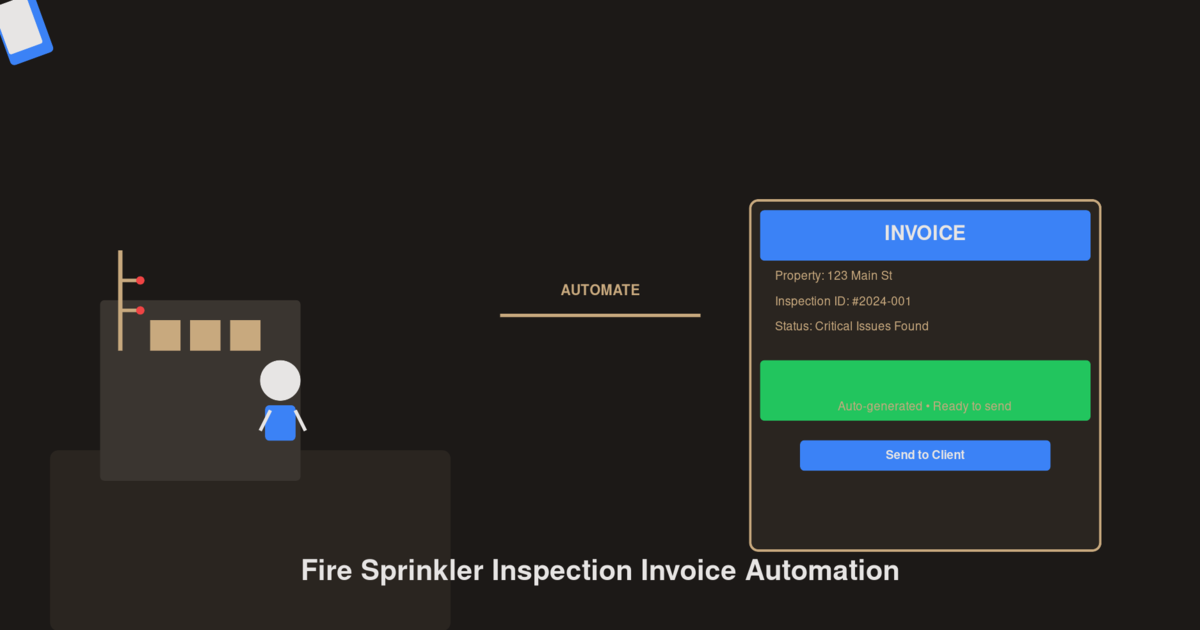
Before and After: Manual vs Automated Workflows
To understand the impact, we need to examine how work actually happens in the field before and after automation. The traditional manual process involves technicians carrying paper NFPA 25 forms often 10 to 15 pages long, photos taken on personal phones with no system, notes passed to the office by memory or phone calls, deficiencies written down and later typed again, estimates taking several days to prepare, invoices sent a week or more later, and some billable items missed along the way. This process slows everything down because information moves in pieces and each step depends on someone else finishing their part.
With a fully connected digital workflow, technicians use tablets with built-in NFPA 25 forms, photos attach directly to the inspection, data saves and shares instantly, deficiencies automatically create estimate drafts, invoices prepare before leaving the site, and customers receive documents right away. The work flows in one direction without stopping to rewrite or resend information.
Side-by-Side Comparison: Time, Accuracy, and Revenue
Compared to double entry in manual workflows where field notes are typed again in the office.
Versus saved on personal phones with no organization or link to inspection records.
Versus 7 to 14 days in paper-based processes. Invoices can be created before leaving the site.
Mandatory fields prevent missing information or illegible text that causes compliance gaps.
Deficiencies automatically trigger estimates versus forgotten or unbilled items in manual workflows.
This comparison shows why invoicing time drops from around 10 days to about 48 hours. Data is only entered once, which reduces errors and removes repeated work. Technicians spend less time on paperwork because everything is captured during the inspection. Cash comes in faster because invoices are created right after the job is done. At the same time, every job is billed properly since deficiencies are automatically included. This is not just about saving time. It is about making sure revenue that has already been earned does not get lost.
What NFPA 25 Actually Requires for Documentation
NFPA 25 establishes clear requirements for how fire sprinkler inspections must be documented to ensure system reliability and safety. According to the National Fire Protection Association, the 2026 edition continues to refine inspection, testing, and maintenance standards for water-based fire protection systems. The standard provides the minimum requirements for the periodic inspection, testing, and maintenance of water-based fire protection systems.
Required inspection records under NFPA 25 include inspection schedules at weekly, monthly, and yearly intervals, checks on system parts like valves and alarms, a clear list of deficiencies, maintenance and repair history, and signatures for approval. All of this needs to be accurate and easy to review later.
Why Paper Forms Create Compliance Gaps
Paper-based inspection records make it difficult to consistently meet documentation requirements due to issues such as illegible handwriting, lack of automatic timestamps, delayed data entry, and inconsistent record structure. Digital forms solve these problems by using required fields to make sure nothing is missed, recording time and technician details automatically, structuring deficiencies clearly, including photos in the report, and capturing signatures digitally. This helps teams stay consistent without extra effort.
Inspection to Invoice Workflow Automation Explained
Fire sprinkler inspection invoice automation works by connecting each step so nothing gets delayed or repeated.
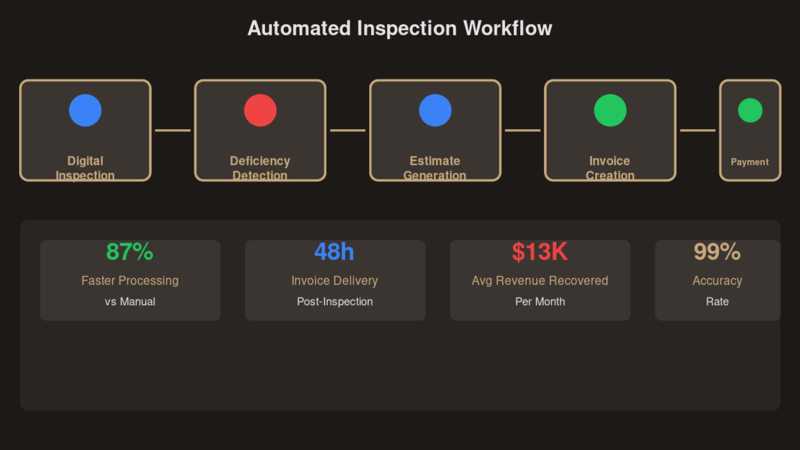
Step 1: Digital Inspection Data Capture
The process starts by collecting inspection data directly in a digital form. NFPA 25 templates are already set up, the system guides the inspection process, inputs are checked automatically, and data is saved right away.
Step 2: Deficiency Detection and Coding
Inspection findings turn into clear, usable data. Deficiencies use standard codes, issues are classified automatically, each item can be linked to a service, and there is less guesswork involved.
Step 3: Instant Estimate Generation
Estimates can be created almost immediately. Deficiencies trigger estimate drafts, pricing is already set, technicians can review on-site, and estimates are ready within minutes.
Step 4: Automatic Invoice Creation
Invoices are generated without starting from scratch. Approved estimates become invoices, line items come from inspection data, taxes are calculated automatically, and invoices are ready on-site.
Step 5: Payment and Collection Integration
Payment is built into the process. Invoices include payment links, customers can pay right away, reminders are sent automatically, and payments are tracked in real time.
Cash Flow Impact of Invoice Automation
One of the biggest benefits of fire sprinkler inspection invoice automation is how it improves cash flow. When invoices are delayed, cash stays uncollected, payments take longer to arrive, office work increases, and it becomes harder to see financial status.
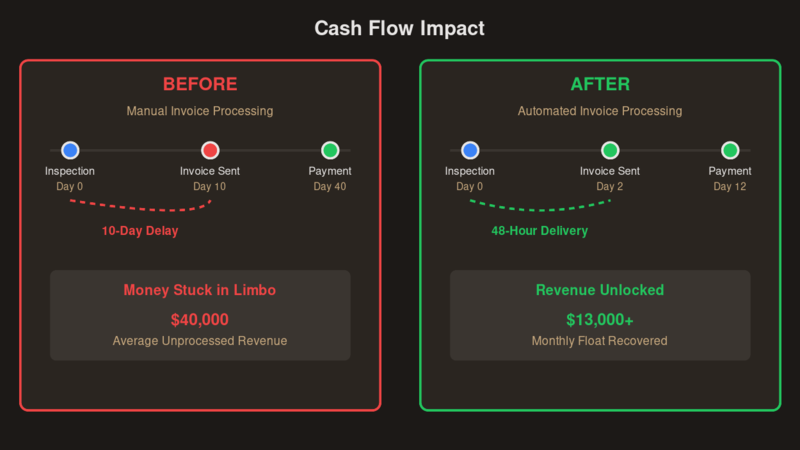
Real Example: Recovering $13K in Float
On monthly revenue of $40,000 with a typical invoice delay of about 10 days, automation reducing that to 48 hours recovers approximately $13,000 in float. That is money already earned but previously unavailable until invoicing completed. Faster invoicing leads to better day-to-day operations because cash becomes available sooner, expenses are easier to manage, less credit is needed, and revenue becomes predictable.
Key Features of Fire Sprinkler Inspection Invoice Automation
Mobile Inspection and Billing allows technicians to handle everything on-site by creating invoices in the field, working even without internet, and syncing data later. Deficiency-Based Billing ensures every issue found can be billed properly as deficiencies become billable items with consistent pricing. Workflow Automation and Scheduling makes routine work easier to manage with automatic invoice scheduling and recurring billing for contracts. Integration with Accounting Systems keeps financial data updated as records sync automatically and reconciliation becomes seamless.
Common Mistakes Without Invoice Automation
Without automation, the same problems happen repeatedly. Missing billable items means revenue is lost when deficiencies are not recorded and extra work is not billed. Delayed communication between field and office occurs when there is too much reliance on calls or notes, causing data to be misunderstood and work to be repeated. Inconsistent pricing and billing results when prices vary between jobs and no standard system exists.
Implementing Digital Job Forms and Instant Invoicing
Organizations can introduce fire sprinkler inspection invoice automation step by step. Replace paper with structured digital forms by using tablets instead of clipboards and customizing NFPA 25 templates. Connect inspection results directly to billing by triggering invoices automatically with simple approvals. Teams need time to adjust, so rollout should be gradual with results measured along the way.
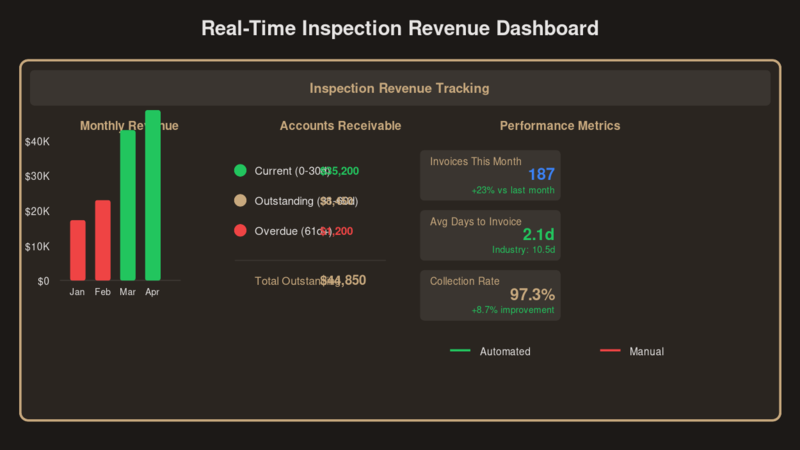
Tracking Revenue and Performance in Real Time
Automation gives teams a clear view of how the business is performing. Inspection revenue tracking shows profit per job, revenue per technician, and service breakdown. Accounts receivable visibility provides automated aging reports, clear payment status, and alerts for late payments. Better data enables revenue forecasts, contract projections, and workload planning.
Start With a Workflow Assessment
At Ironback.ai, we focus on mapping the inspection-to-invoice workflow so we can clearly see where delays happen and how to remove them. We map your process and build a system that connects field inspections directly to billing. Book the Assessment and we show you where you are bleeding time and cash.
Frequently Asked Questions
What is fire sprinkler inspection invoice automation?
Fire sprinkler inspection invoice automation connects inspection data directly to billing, generating invoices automatically from completed inspections without manual re-entry or delays. Digital forms capture all NFPA 25 data and deficiencies trigger billing items immediately.
How does invoice automation improve NFPA 25 compliance?
It uses structured digital forms that capture all required inspection data including timestamps, deficiencies, photos, and technician signatures in one system. Mandatory fields prevent missing information and automatic data capture eliminates illegible handwriting.
How fast can invoices be generated after a fire sprinkler inspection?
With automation, invoices can be generated within hours or before the technician leaves the site, compared to 7 to 14 days in manual workflows. Deficiencies automatically populate estimate and invoice templates for instant billing.
Can deficiency findings be automatically included in invoices?
Yes. Deficiency findings link to predefined codes and pricing, allowing them to automatically appear as billable items in estimates and invoices without manual entry.
How does fire sprinkler inspection invoice automation impact cash flow?
It reduces the time between job completion and invoicing from approximately 10 days to 48 hours. On $40,000 monthly revenue, this recovers approximately $13,000 in cash flow float that was previously stuck in the billing process.
Related
Find your first automation
Use the free Operations Scorecard. Two questions give you one workflow to investigate and a measure to check before building.